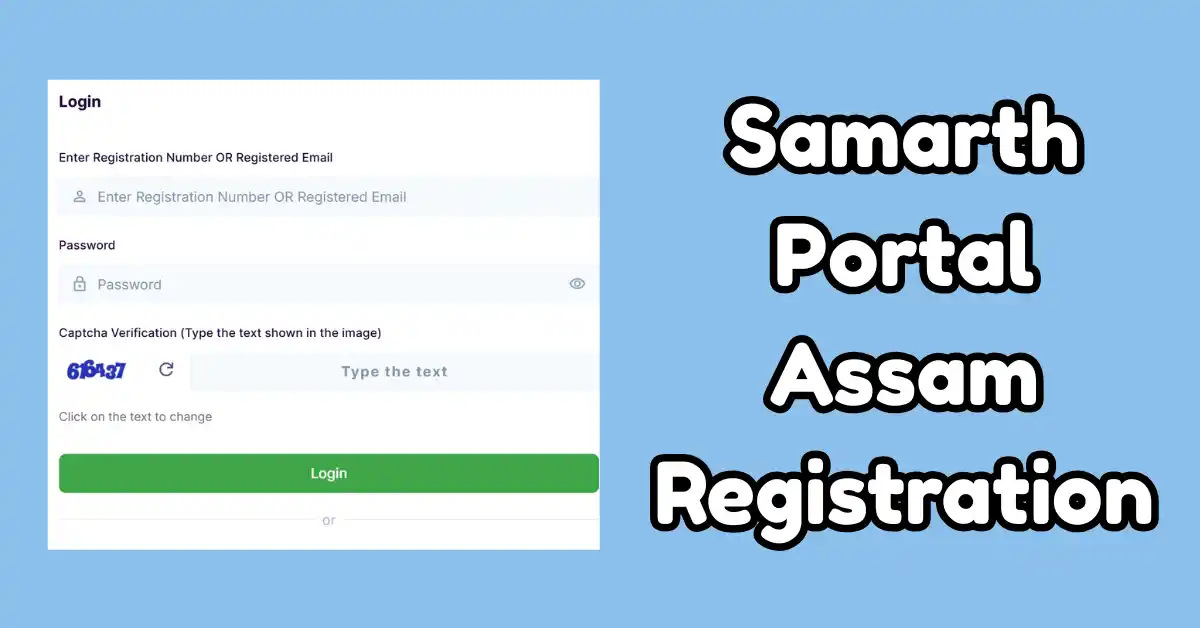
Hello students of Assam state, now if we talk about the old time before the digital India, to get admission in the college, we had to wait for a long time, holding all the documents in our hands. But now with the digital era, the state government is going to provide the facilities to get admission in all the colleges of Assam through the online mode. Now every undergraduate student no need to go anywhere and has to wait for a long time.
Now, with the help of the Assam Higher Education Department, the SAMARTH Portal has been launched. This portal is also known as the Assam State Higher Education Admission Portal. By using this portal, every undergraduate student can fill out the admission form of any of the universities or colleges across the state. For those reasons, you all need to complete the Samarth Portal Assam Registration. Check the process discussed below.
Samarth Portal Assam Registration
The online digital portal was recently introduced by the state Government of Assam in collaboration with the collaboration of the State Higher Education. This is the online admission portal, which provides the facilities to fill out the admission portal just by sitting at home and saves your time and energy. This is the Online portal which provide every services free of cost, and here, every students, teachers can do all kinds of work. Just fill out the single admission form of any of the universities or colleges available across the state, and you will complete your admission process.
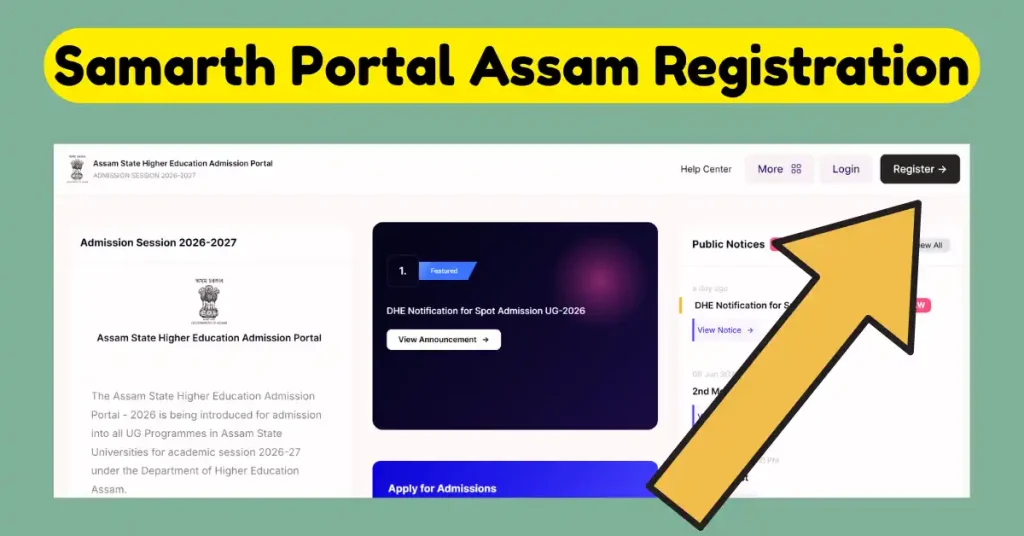
Firstly, this portal was introduced in 2019, and to date, more than 200 universities and colleges in India are using the same portal. On this portal, various kinds of options are available, like Admission form, Fees Payment, Booking of Hostel, Examination Date, admit card, and you can also check the Result. Every office work can be done just in one click with the help of this portal. Not only Assam, but the Delhi Government and many more are also using the same portal. The official web address of the Assam Samarth Portal, i.e. assamadmission.samarth.ac.in.
About Samarth Portal
| Department | Assam State Higher Education |
| State | Assam |
| Portal Launch For | Admission in UG Courses |
| Admission available in | All universities and colleges available in the state |
| Beneficiaries | Undergraduate students |
| How to apply | Online |
Features of Assam Samarth Portal
- Use For: This portal can be used by the Undergraduate students of Assam state who want to fill out the admission form in any of the universities and colleges available in Assam state.
- Admission for Undergraduate: Using this online digital portal, you can all fill out the application form for admission. You just have to check the merit list and then fill the form.
- Enrollment of Students: After enrolling yourself on this portal, you can access all kinds of services through the dashboard of your account.
Documents Required For Admission
- PRC certificate of Assam state
- Residence proof
- All Documents
- Contact details in which active email ID and phone number
- Signature
- Photograph
Important Notes
- Enter all the details as available in your 10th-class mark list.
- Always remember your registered phone number and email ID for login. Your email ID must be active.
- Before submitting your admission form, always double-check the details you enter.
Samarth Portal Assam Registration Guide Step by Step
Now, every student who is new and going to follow the process of registration, first of all, you have to create an account. Because when you create the account, you have to generate the user ID and password.
Create Account
- Open official Portal: First of all, you need to open the Samarth Portal Assam, i.e. assamadmission.samarth.ac.in
- Find Register Link: Now, if you are new, then you have to create the account and have to click on the Register link.
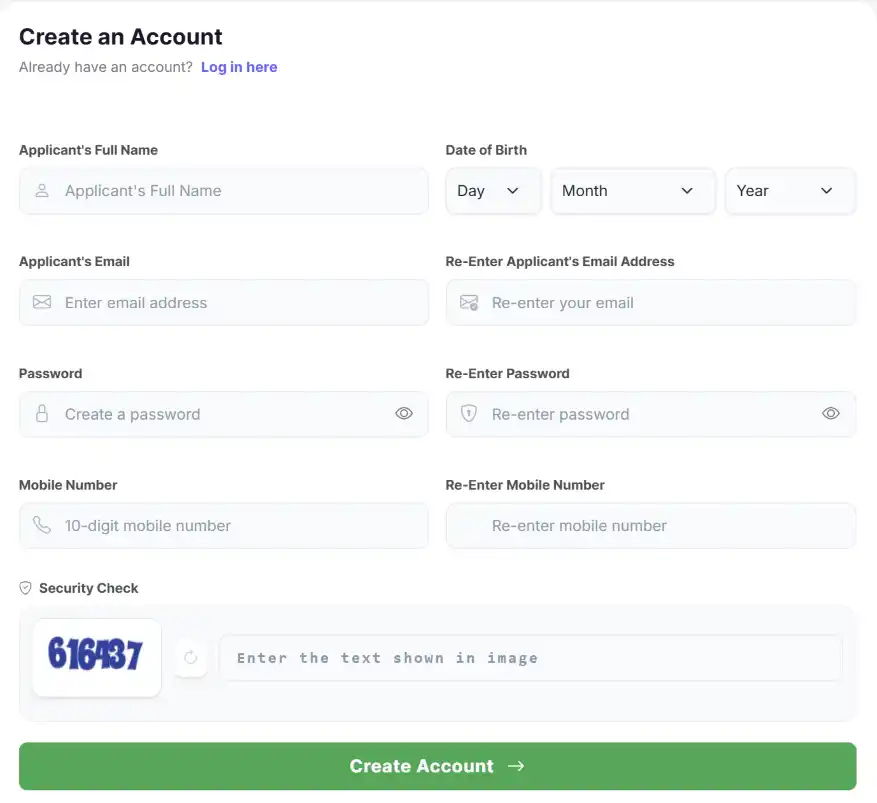
- Create Account: Here, the New Registration form is available in front of you and start filling this form with details: Name of applicant, Date of birth, email id, choose a password of your choice and then enter Mobile Number.
- Submit: Need to enter the Captcha Code and then click on create account.
Steps For Login
- To log in again, open the same portal and then have to click on the Login Link.
- Enter your registered email ID and registration Number.
- Write the Password which you chose at the time of registration, and then also enter the Captcha Verification Code.
- Click on Login. Dashboard opens in front of you.
Registration For Admission
- Before filling the admission form, you have to verify your account and then after completing the verification, login in to your account.
- When you login in to your account, you have to start filling in the rest of the details in the admission form.
- Start uploading the documents like your educational documents, residency proof, signature and photo.
- Choose the course and college name in which you want to get admission.
- Submit the admission form and wait for confirmation.
Related: Atmanirbhar Assam 3.0
FAQs
You get the Admission link, Fee Payment, Check Result, Admit Card and Examination Dates available.
No, all services are available at free of Cost.
Yes, you need to click on “forget password” and add a new one.